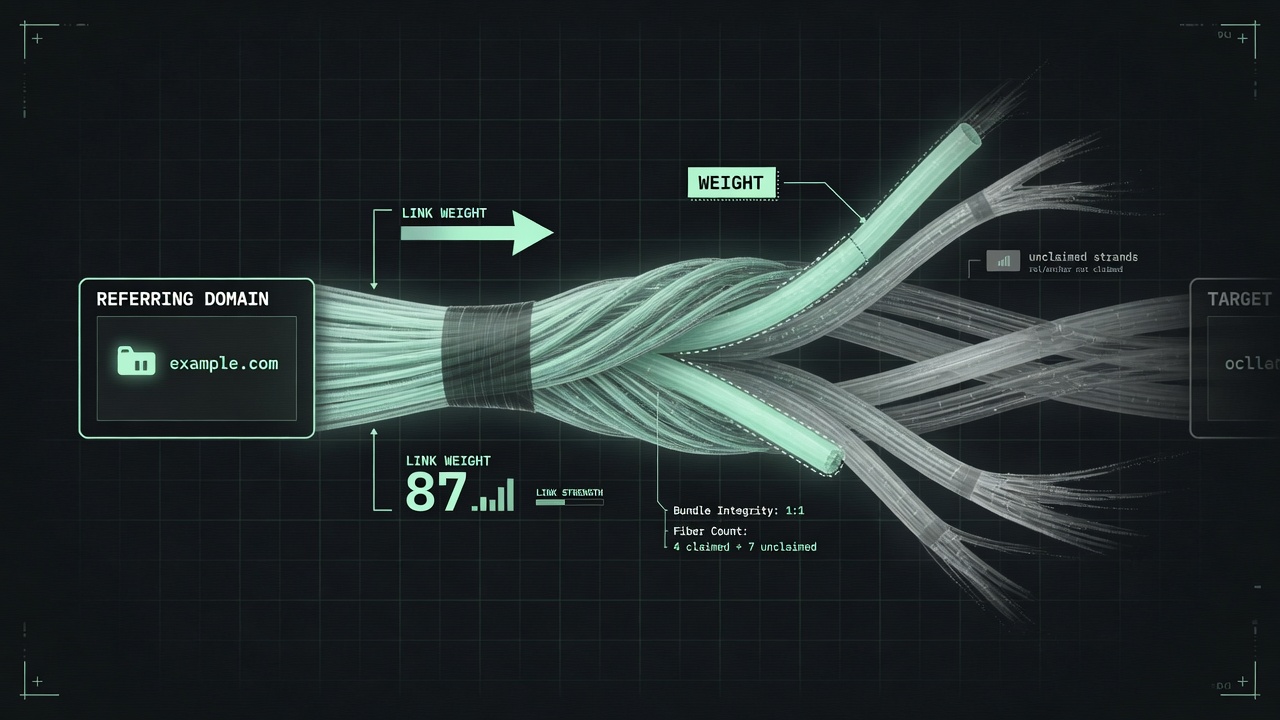
A backlink is a bundle: who linked, how trusted they are, whether the link is marked nofollow, and what words wrap it. Our index returns the first two as domain-level rows. Rel and anchor are education here — they are not fields we ship.
A "backlink" sounds simple: a link from someone else's page to yours. In practice it's a bundle of separate facts:
- Which domain hosts the link
- Whether that domain is trustworthy
- Whether the link passes any ranking weight at all
- What text it's wrapped in
- Where on the page it sits
Two backlinks that look identical in a spreadsheet — "example.com links to you" — can be worth wildly different amounts once you unpack those parts. Below is a walkthrough of each part, plus an honest map of what a link graph like BacklinkMCP's can actually tell you, and what it can't.
The linking (referring) domain
Every backlink starts with a referring domain: the site that placed the link, as distinct from the specific page or URL it lives on. Tools report at the domain level, not the page level, for a simple reason — domain-level counts are far harder to fake at scale. An attacker can spin up a thousand pages in an afternoon. "A thousand distinct domains link to you" is a much bigger, more expensive claim to fabricate. When BacklinkMCP's backlinks_for_domain tool (or the equivalent /api/v1/backlinks REST call) returns a ranked list, each row's source field is one referring domain, not one URL. That's the unit the whole system is built around.
Referring domains vs. total inlinks
These two numbers get used interchangeably in casual conversation. They shouldn't be:
- Referring domains — distinct domains linking to you. One domain counts once, no matter how many of its pages link to you.
- Total inlinks — the links themselves. This can run higher than the referring-domain count, since one site can link to you from several pages. A blog that mentions you in five different posts is five inlinks, but one referring domain.
BacklinkMCP surfaces both, from two different calls: domain_authority_score returns referring_domains next to the authority number, while backlinks_for_domain returns total_inlinks next to the ranked linker list. For judging how widely a domain is trusted across the web, referring domains is usually the more meaningful number. A hundred links from one domain is a weaker signal than one link each from a hundred different domains. The former just reflects one site's opinion of you, repeated.
Dofollow, nofollow, UGC, and sponsored
Not every link is built to pass SEO weight. An HTML link can carry a rel attribute that tells search engines not to treat it as an organic editorial endorsement. Qualifying outbound links (nofollow, ugc, sponsored) covers four states:
| rel value | What it signals | Typical use |
|---|---|---|
| (none) — "dofollow" | Default, unmarked link | An editor citing you because it's relevant |
nofollow | Don't pass ranking credit | General "I'm linking, not vouching" |
ugc | User-generated content | Blog comments, forum posts, wiki edits |
sponsored | Paid or compensated placement | Sponsored posts, affiliate links, paid reviews |
The honest limit: BacklinkMCP's engine is built from a proprietary web-scale link graph. The per-linker data it returns is source, authority, and links_out — it does not classify a rel attribute for each link. If a field isn't in the response, we won't imply it exists. Treat a link's presence in the graph as "this link exists in our index," not as a claim about whether it currently passes ranking weight.
Anchor text
Anchor text is the clickable words a link is wrapped in: "click here," "best project management software," "example.com," or a brand name. It matters because search engines have long used anchor text as a topical signal. A hundred links anchored on "cheap flights to Rome" tells Google something specific about the linked page. That made anchor text an obvious lever to abuse. Heavily manipulated, exact-match anchor patterns are one of the more reliable signs of a purchased or spammy link profile. A natural anchor profile mixes:
- Branded anchors — the site's own name
- Naked URLs — "example.com"
- Generic anchors — "click here," "read more"
- Partial-match anchors — a few relevant words, not the exact target keyword
rather than one phrase repeated everywhere. The same honesty applies here as with dofollow status. Anchor text is a string that lives inside the <a> tag on the linking page — it isn't a field BacklinkMCP returns per linker. What the engine does return — source, authority, links_out — tells you who is linking and how credible they are, not the exact words they used. Real anchor-text auditing means reading the live linking pages. That's a different job than a cached graph lookup.
Link placement: editorial vs. footer and sitewide
Where a link sits on a page is a strong, if informal, signal of how much a linking site actually vouches for you:
- Editorial — placed inside the body text of an article by a human editor, because it was relevant to what they were writing. Generally worth the most.
- Footer or sidebar — stuffed into a template that repeats identically on every page of that domain.
- Sitewide "partners" page — one template edit reproduces the link thousands of times.
Footer and sitewide links are cheap to add and rarely reflect editorial judgment, which is why serious authority models discount them relative to genuine in-content mentions. A link-graph lookup can't directly tell you "this specific link was in a footer" without re-fetching and parsing the live page. BacklinkMCP's per-linker links_out field is a useful proxy, though. A domain with an unusually high outbound link count relative to its size is more likely running some kind of directory or sitewide template than hand-picking each link editorially. It's a hint, not a placement classifier.
Why the linking domain's authority matters more than raw count
Put the pieces together and a pattern falls out. Raw counts — referring domains, total inlinks — measure volume, and volume alone is trivially gameable: link farms and comment-spam networks can inflate a count cheaply. What's much harder to fake is the authority of the domains doing the linking.
This is why BacklinkMCP's domain_rating-style score is weighted toward domains like Wikipedia, .edu and .gov sites, and established news outlets. A link from one of those is worth substantially more than one from an arbitrary low-authority site, because getting placed there is genuinely hard to fake at scale. It's also why top_linkers_for_domain and backlinks_for_domain rank results by the linking domain's own authority, instead of listing alphabetically or by recency. Ten links from ten authoritative domains beats a thousand from throwaway sites — ranking by linker authority surfaces that instantly. See our companion piece on how a domain-authority score gets computed for the full mechanics behind that weighting.
What our engine actually returns
Five domains, queried 2026-08-19 on the authority path (listing was 502, so no fresh linker rows):
| Domain | domain_rating | referring_domains |
|---|---|---|
| wikipedia.org | 87.6 | 2,155,083 |
| github.com | 81.3 | 750,824 |
| stripe.com | 80.9 | 702,082 |
| ahrefs.com | 69.7 | 109,300 |
| vercel.com | 58.6 | 17,272 |
As of 2026-08-19 — domain_authority_score snapshot, not a live price list. Stripe’s referring-domain count is more than 40× vercel.com’s; brand familiarity is a poor substitute for checking the graph.
Some of the highest-authority domains currently linking to stripe.com in our engine: googleapis.com, cloudflare.com, jsdelivr.net, vimeo.com, and fontawesome.com. That's a cluster of developer-infrastructure domains, and it tracks — Stripe's SDKs and docs get referenced constantly by other developer tooling.
How to read these fields
A handful of fields show up across every BacklinkMCP response, and one of them is easy to misread:
domain_rating— the domain's own 0–100 authority score. This is the only field here scaled 0–100.referring_domains— distinct domains linking to that domain.total_inlinks— the raw link count, returned per domain bybacklinks_for_domain(try the live lookup below for the current number on any domain).source— the linking domain's name, one row per referring domain.authority— a per-linker ranking score. It is not on the same 0–100 scale asdomain_rating. It's a large raw integer from the underlying graph-ranking calculation. A linker showingauthority: 48000isn't "480 out of 100." Don't compare the two fields directly.links_out— how many outbound links that domain carries in the graph, used as the placement proxy described above.
This matters if you're piping BacklinkMCP's output into your own dashboard or scoring formula. Treat domain_rating as the one normalized, comparable score. Treat authority as a ranking signal, not a percentage.
Reading a real backlink profile
Static tables go stale fast. Here's a live call against the same cached engine the REST API and MCP tools use, for a real domain. Reach it as a tool call or over HTTP — see our MCP vs REST API comparison for when to use which (and why an LLM can't produce these numbers without a tool). It shows the per-linker source, authority, and links_out fields described above:
Scan a table like that and you're reading three things at once:
- Which domains are linking in (
source) - How much to trust each one (
authority— not a 0–100 scale) - How selectively that domain links out at all (
links_out)
A low-links_out, high-authority linker is a stronger signal than a high-links_out one. The former is linking to relatively few things; the latter may be running something closer to a directory.
What a link-graph lookup won't tell you
BacklinkMCP's index is built for on-demand agent lookups, not continuous crawling. It won't show link velocity, and — as covered above — doesn't classify dofollow/nofollow/ugc/sponsored status or return anchor text strings. Use it for what a link graph is genuinely good at: seeing who links to a domain, at what scale, and how authoritative those linkers are. Then verify anything time-sensitive or attribute-specific by checking the live page itself. BacklinkMCP's verify_link_live tool exists for exactly that gap, confirming whether a specific linking domain still has a live link on its homepage today.
Try it yourself
The free tier runs 10 lookups a day per IP, with linker lists capped at 25 rows. That's enough to audit your own site or vet a handful of prospects with no signup. The free backlink checker is the fastest way to try a single domain in a browser. The domain authority API page has the exact request/response shapes if you're wiring this into code or an agent. Pro, at $19/mo, removes the daily cap and raises backlinks_for_domain to 100 rows (top_linkers_for_domain stays at its top 25 on both tiers). Full details — including rate limits and error shapes — are on the docs page and the pricing page. For the companion piece on how the authority score itself is computed, see What Is Domain Authority?, or browse the rest of the write-ups on the articles page.
FAQ
Do you return dofollow and anchor text?
No. Rows are source, authority (raw integer), and links_out. Rel and anchor are explained on this page; they are not product fields.
Is linker authority the same as domain_rating?
No. domain_rating is 0–100. Per-linker authority is a large raw ranking integer. Do not treat 48000 as “480 out of 100.”